Organize first. Confirm next.
AI helps plan and draft. You confirm task creation and delegation.
 SEE.APP
From ideas to outcomes
Turn ideas into tasks. Work on your own or with others.
Keep your agents' deliverables in one place, too.
AI helps you organize. You confirm the important actions.
Finish the product introduction page by next Friday.
I'll write the content and ask a designer for feedback,
then have an external AI gather references.
Keep progress and outcomes connectedPersonal progress · Team feedback · Agent deliverables
01 / Make the work clear
An idea can start unfinished. Plan it and add details as you go.
When you're ready, turn it into an editable task draft.
01 / Share your idea
I want to prepare a product introduction page, but I'm not sure where to start.
Would you like to plan the steps first or go straight to an editable task draft?
Try an example. Your edits stay on this page.
02 / Start with a goal
Review the suggestions, then add your requirements.
When you're ready, make it your task.
01 / See what's on your plate
I have a few things to do today. Where should I start?
02 / See the order and the reasoning
Example suggestionThe draft is due today, and the designer's next steps depend on it. Then prepare the interview questions needed tomorrow.
Due soon · Others depend on it
This is a suggestion. It does not change your real tasks or schedule.
AI never delegates work, creates access links, or sends tasks automatically.
02 / Choose how to move forward
Work solo, bring someone in, or receive a Bot's deliverables.
Keep progress, replies, and results connected to the work.
Organize work with tasks and checklists. See due dates, progress, and the next step.
Check off an item and watch the progress change.Check off an item or change the status to try it out.
Review the content hierarchy and opening message. Let me know what you'd change by Friday.

Work for your external AI
Review how pages communicate value. Collect useful content structures and writing approaches.
Submit a short summary with reference ideas and suggested revisions.
Work in your external AI. The Bot workbench receives the records it reports.
Linked task: Prepare the product introduction page
Deliverables and execution records stay together.
Reports, text, links, or conclusions
Review each delivery here.
Original task: In progress · Receiving results does not complete the task
03 / A space for your work
Start with an office template and make it your own.
Find your tasks and personal work records right in your space.
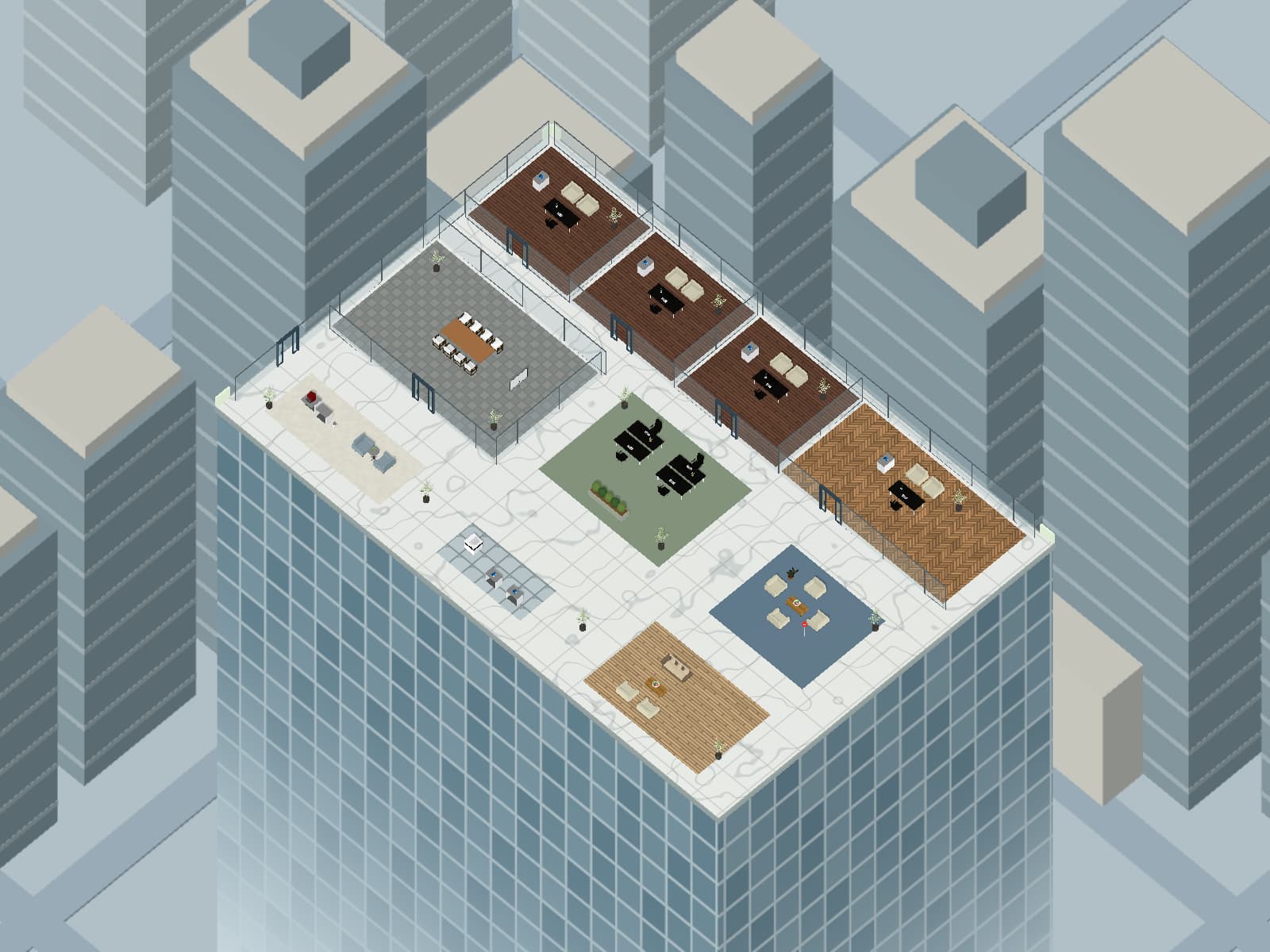
My space. My work.
Glass offices, quiet desks, and a lounge give each kind of work its place.
Next: Draft the page content
Start with a template, arrange your office, and see your tasks and personal work records in your space.
Enter my workspaceScandinavian furniture · Office Room 15 · Mnostva · CC BY 4.0Separated into individual pieces, resized and reoriented. Original textures retained.
Office Set 1.1.0 · VNB / Leo · Author's license termsFormat converted; origins and colors adjusted for office layouts.
Office Low Poly Pack · MrEliptik / Victor Meunier · CC0Resized and reoriented. Original material colors retained.
Oriental Pearl Tower · mas_DY · CC BY 4.0Adapted for the scenery surrounding the office.
Original architecture and furniture · see.app · Created by see.appGlass rooms, meeting and lounge furniture, floor materials, terrain, and the other Shanghai buildings were created by see.app.
Projector Screens · RackRibs · CC BY 4.0Separated into complete variants; scale, orientation, and floor-centered origins adjusted. Supplied textures retained.
Tiny Treats House Plants · Isa Lousberg / Tiny Treats · CC0 1.019 complete potted plants selected, uniformly scaled and centered. Textures resized to 256 pixels and compressed; leaves rendered on both sides. Original package and textures retained.
Shapespark Interior Plants · Shapespark · CC BY 4.07 complete potted plants separated, uniformly scaled and centered. Textures resized to 512 pixels and compressed; leaves rendered on both sides; some palm stems simplified. Original GLB and textures retained.
Control, built into the product
AI helps plan and draft. You confirm task creation and delegation.
Recipients verify access before viewing content or replying. Links use an access code by default.
People's feedback returns to the task. Bot deliverables stay in the workbench for review and follow-up.
From idea to action
Make it a task. Choose how to move it forward.